Friday, May 8, 2020

AutoNSE - Massive NSE (Nmap Scripting Engine) AutoSploit And AutoScanner

0 comments

Massive NSE (Nmap Scripting Engine) AutoSploit and AutoScanner. The Nmap Scripting Engine (NSE) is one of Nmap's most powerful and flexible features. It allows users to write (and share) simple scripts (using the Lua programming language ) to automate a wide variety of networking tasks. Those scripts are executed in parallel with the speed and efficiency you expect from Nmap. Users can rely on the growing and diverse set of scripts distributed with Nmap, or write their own to meet custom needs. For more informations https://nmap.org/book/man-nse.html

Installation
$ git clone https://github.com/m4ll0k/AutoNSE.git
$ cd AutoNSE
$ bash autonse.sh

Exmaples
$ bash autonse.sh


Related word
  1. Hacking Web Technologies Pdf
  2. Pagina Hacker
  3. Life Hacking
  4. Aprender Hacking
  5. Hacking Con Buscadores Pdf
  6. Wordpress Hacking
  7. Sdr Hacking
  8. Phishing Hacking
  9. Hacking 101
  10. Como Hacker
  11. Paginas De Hacking
  12. Que Significa Hat
  13. Life Hacking

Thursday, May 7, 2020

Ufonet - Dos And Ddos Attack Tool | How To Install Bot

0 comments
Related articles

  1. Hacking To The Gate Lyrics
  2. Aprender Hacking Desde Cero
  3. Hacking Software
  4. Hacking Music
  5. Best Hacking Games
  6. Cracker Definicion
  7. Libros Hacking

10 Best Wifi Hacking Android Apps To Hack Others Wifi (Without Root)

0 comments

 Top 10 Best wifi hacking apps to hack wifi^s.   

Today, a smartphone without internet is like a decade ago featured phone which is mainly used to dial and receive the call. No one would even want such a phone today. The Internet is now a necessity for every mobile user. They can't live without the internet and unfortunately; if the Internet is not working due to some signal issues; they get frustrated and sometimes depressed too.


Generally, we need to pay for the Internet subscription package to run mobile data on our smartphone. But what to do if I don't want to spend money on the Internet? The solution is to connect your mobile with WiFi. You can access the internet from there. Easy, right? NO, it's not easy until you know the password of WiFi. But what if you don't know.

Two ways possible in this situation

  1. Either you ask for the password to the owner; he will provide you to use his internet through Wi-Fi
  2. You have to hack the Wi-Fi password of other's network and use the internet as an unauthorized person.

First is not reliable when you don't know the person so, you only have a second option. Today, I am going to share a few apps that help you steal the password and allow you to use the internet from others' account.

1. WiFi WPS WPA Tester

This is the foremost tool to hack the WiFi password without knowing even the root. This is a preferred choice of numerous smartphone users to decipher the pin and get access to the Wi-Fi. As time passes, a tool is upgraded and now even hack the WiFi networks while it was used to check if an access point is highly vulnerable to the rancorous attacks or not.

If you are using Lollipop or above version on your android mobile phone; you don't even need to root your device to crack a WiFi network.

Android App

Pros

  • Easy to use
  • Free
  • Decrypt the password in no time.
  • Implementation of several algos like Zhao, Arris, Dlink and more.

Cons

  • Need root access if you are using the version below Lollipop.

2. WPS Connect

Routers which has enabled a WPS protocol can be hacked with this app. The important thing is that almost all routers found in public places and homes fall under this category. In short, you will have what you want. Moreover, you can focus on your router & examine that it's vulnerable to any malicious attack or not. It helps you hack the WiFi password without root and also strengthen your WiFi network.

Once you identify the vulnerable (accessible) network, you can quickly get the password and start using the internet without any hassle. It uses algorithms like easyboxPIN and Zhao. Although, this app is not compatible with various Android phones as it is tested on Android devices like the Galaxy series, Nexus and more.

Android App

Pros

  • It's free and easy to use
  • Powerful algorithms (Zhao & easyboxPin) to crack the password
  • Supports pinning of Wi-Fi routers

Cons

  • Incompatible with few android devices
  • Couldn't identify the network automatically.

3. WiFi WPS WPA Tester Premium

This is an excellent app to decrypt the WiFi network password on your android phone. This works fine on rooted & non-rooted android phones. If you can root the Android device; you can have a better chance to hack into. Today,  security is the primary concern and so, many people use the highly secured wireless router, I think. For such networks, this app will not work as it should be. But, still it can work for numerous times with the help of WPS; not all the time. Every time, you have to try your luck to get access to other's WiFi network. This WPS WPA tester is a premium apk.

Android App

Pros

  • Works for both rooted and non-rooted android devices
  • Find the nearby network and connect your mobile with it.

Cons

  • It's a premium apk.
  • You have to try your luck to get access to the nearby network.
  • Not good to connect with highly secured wireless routers.

4. AndroDumpper Wifi (WPS Connect) – Discontinued

If you want to connect to a router which is WPS enabled; download this app immediately without going down to browse for other apps. Just open the app, start its interface & find the nearby wireless networks, you want to connect with. The app will provide an excellent option to regain the password of a selected network with & without root. Once you implemented the algorithm; it will display the password in app screen & connect to the network. Isn't it easy for you?

Android App

Pros

  • It's Free on Google Play Store
  • Easy to use and faster than some other tool.
  • Works fine for rooted & non-rooted devices
  • A dedicated blog is available for the tool (Get guidance anytime)
  • Supports for giant company routers (Vodaphone, Asus, Huawei, Dlink, etc.)

Cons

  • Rooting is required if you are using a version below android 5.0
  • Works only for WPS enabled routers.

5. Wi-fi Password Hacker Prank

Wifi Password hacker prank is a free app for the android users and can help you to connect your android phone to wifi networks available nearby. This free app simulates a process of hacking the wireless network with your smartphone. With this app, you can hack all wifi network passwords with just one key. The Prank word itself says it's a funny app used to prank with your friends. Sometimes, girls can be impressed with this prank as well. But try this at your own risk. Look excellent and professional in front of your friends and colleagues.

Steps to Hack Wifi using the Wifi Password Hacker Prank:

  • Catch up the wireless networks near to you and then select the secure network you wish to hack.
  • Wait for a while & a dialogue will be opened with the wifi password.
  • Bingo! Paste the password and start using others' Internet without spending single money.
  • Watch your favourite show and movie in High-Definition quality without worrying about your mobile data.
Android App

6. WiFi Warden

WiFi Warden is one of the finest and free android WiFi hacking apps to get access to others WiFi with ease. With WiFi Warden, a user can Analyze the WiFi networks, connect to your WiFi using the passphrase and WPS and view saved WiFi passwords without root.

By analyzing the WiFi networks, you can see all necessary information that can be discovered on the wireless networks around including BSSID, SSID, Channel bandwidth, encryption, security, router manufacturer, distance and channel number, etc.

Android App

Pros

  • Find the less crowded channel to get WiFi access.
  • You can root your device on all Android versions.
  • Easy to use and connect with the router quickly.
  • All features of this app are available for free.

Cons

  • This app doesn't work on all types of router, use a passphrase instead.
  • Access Point (AP) must have enabled WPS.
  • Require Android version 6 (Marshmallow) or higher version is necessary to display Wi-Fi networks around you.
  • Some of the features are in the testing phase. So, use it your own risk.

7. WiFi Password

'WiFi Password' is a completely free app for those who don't want to get away from the Internet even when their internet data is running out. You can connect with others' WiFi routers and use their Internet.

If you are using Android Version 5 or above; 'WiFi Password' can be the right choice for you to watch your favorite shows on YouTube in HD without even worrying about Mobile Data.

Android App

Pros:

  • Millions of WiFi Hotspots
  • Scan and detect the WiFi security
  • Connect WiFi Hotspot nearby without knowing the WiFi Password
  • You can simply add a free WiFi Hotspot by sharing the passwords with others.

Cons :

  • Still, there are some glitches in it but works well.

8. WiFi Kill Pro

WiFi Kill is one the best WiFi network controller application which can disable the Internet connection of others who are connected to the same network. Yes, this is true. It is a useful tool for internet users who want to improve their data speed by disabling other's internet connection and allocate all the bandwidth to your device only.

Currently, this app is only for Android users and needs root access to perform well.

Android App

Pros


    • You can see all connected device on the same network you are connected.

    • Display the data transfer rate of all devices

    • Monitor network activity

    • You can cut the network connection of any connected device.
  • It works well on tablets too.

Cons


    • Require root access
  • Require Android version 4.0.3 or up to use this app.

9. Penetrate Pro

A popular Wifi hacker app for android users, Penetrate pro is free and works well on Android devices. This app is widely used to find WEP and/or WPA keys to connect the devices with network routers without knowing the wifi password. Just install the app and search for the network; this app starts automatically displaying the WEP/WPA keys on the screen. Tap on the network you want to connect; one it gets connected; you can start watching videos on YouTube. Quite interesting, doesn't it?

Android App

Pros


    • Easy to search nearby free wifi networks.

    • Connect the network without knowing keys
  • Available for Free

Cons


    • Not available on Google Play Store; need to download manually.
  • Works well only for the rooted android devices

So, you have got the list of apps that help you use the internet from other's wireless network without getting caught. If you have any idea of any other Wi-Fi password hacking app; just let me know. We would love to discuss it here.


Disclaimer: VR Bonkers is not responsible for any consequences if you face while using any of the above apps. This is just a list and we are not taking any responsibility for the same. So, use them at your risk.


@EVERYTHING NT

More info


  1. Google Hacking
  2. Hacking Madrid
  3. Quiero Ser Hacker
  4. Hacking Marketing

Many Ways Of Malware Persistence (That You Were Always Afraid To Ask)

0 comments
TL;DR: Are you into red teaming? Need persistence? This post is not that long, read it ;)
Are you into blue teaming? Have to find those pesky backdoors? This post is not that long, read it ;)

In the previous post, I listed different ways how a Windows domain/forest can be backdoored. In this new post, I am digging a bit deeper, and list the most common/known ways malware can survive a reboot, just using local resources of the infected Windows system. The list is far from complete, and I would like to encourage everyone to comment on new methods, not yet listed here.

From an incident response point of view, one of the best strategies to find malware on a suspicious system is to search for suspicious entries that start with the system. In the good old days, you had to check for 2-3 locations to cover 99% of the infections. Nowadays, there are a thousand ways malware can start. The common ones automatically start whenever Windows starts (or the user logs in), but some tricky ones are triggered by other events.

Autoruns

My favorite choice when it comes to malware persistence is Sysinternals tools, Autoruns. In this paragraph, I mainly quote the official built-in help, but bear with me, it is still interesting.

On a side note, there are some problems with the Autoruns tool: it can only run on a live system. (EDIT: This is not true, Autoruns can analyze offline systems as well! Thanks to a comment from Justin.) And usually, this is not the case - I usually have dd images. And although VBoxManage can convert the dd images to VirtualBox disk image format, usually I don't have the time and storage to do that. This is where xmount awesomeness is here to rescue the day. It can convert dd and Encase images on-the-fly in-memory to Virtualbox format. Just attach the disk image to a new Virtualbox machine as the main boot HDD, modify the CPU/disk/controller settings until Windows starts instead of crashing, and voila, you can boot your forensic image - without modifying a single bit on the original evidence dd file. Another problem with malware analysis on a live system is that a good rootkit can fool the analyst easily. 

For quick wins, I usually filter out Microsoft entries, look for per-user locations only and check for unverified (missing or invalid Authenticode) executables. This usually helps to find 90% of malware easily. Especially if it has a color like purple or pink, it is highly suspicious. To find the rest, well, one has to dig deeper.
Zeus "hiding" in the usual random directory - check the faked timestamp
To implement "poor-mans monitoring", regularly save the output of Autoruns, and during incident response, it will be highly valuable. Howto guide here.

Logon

"This entry results in scans of standard autostart locations such as the Startup folder for the current user and all users, the Run Registry keys, and standard application launch locations." 
There are 42 registry keys/folders at the moment in Autoruns, which can be used to autostart a malware. The most common ways are the HKCU\Software\Microsoft\Windows\CurrentVersion\Run and the C:\ProgramData\Microsoft\Windows\Start Menu\Programs\Startup folder.
One of my favorite regarding this topic is the file-less Poweliks malware, 100% pure awesomeness. Typical ring 3 code execution.

Explorer

"Select this entry to see Explorer shell extensions, browser helper objects, explorer toolbars, active setup executions, and shell execute hooks". 71 registry keys, OMG. Usually, this is not about auto-malware execution, but some of them might be a good place to hide malware.

Internet explorer

"This entry shows Browser Helper Objects (BHO's), Internet Explorer toolbars and extensions". 13 registry key here. If a malicious BHO is installed into your browser, you are pretty much screwed.

Scheduled tasks

"Task scheduler tasks configured to start at boot or logon." Not commonly used, but it is important to look at this.
I always thought this part of the autostart entries is quite boring, but nowadays, I think it is one of the best ways to hide your malware. There are so many entries here by default, and some of them can use quite good tricks to trigger the start.
Did you know that you can create custom events that trigger on Windows event logs?
Did you know you can create malware persistence just by using Windows tools like bitsadmin and Scheduled tasks?
Scheduler in the old days
Scheduler in the new days

Services

HKLM\System\CurrentControlSet\Services is a very commonplace to hide malware, especially rootkits. Check all entries with special care.

Drivers

Same as services. Very commonplace for rootkits. Unfortunately, signing a driver for 64-bit systems is not fun anymore, as it has to be signed by certificates that can be chained back to "Software Publisher Certificates". Typical startup place for Ring 0 rootkits. 
Starting from Windows 10, even this will change and all drivers have to be signed by "Windows Hardware Developer Center Dashboard portal" and EV certificates.

Codecs

22 registry keys. Not very common, but possible code execution.

Boot execute

"Native images (as opposed to Windows images) that run early during the boot process."
5 registry keys here. Good place to hide a rootkit here.

Image hijacks

"Image file execution options and command prompt autostarts." 13 registry key here. I believe this was supposed for debugging purposes originally.
This is where the good-old sticky keys trick is hiding. It is a bit different from the others, as it provides a backdoor access, but you can only use this from the local network (usually). The trick is to execute your code whenever someone presses the SHIFT key multiple times before logging into RDP. The old way was to replace the sethc.exe, the new fun is to set a debug program on sethc.
If you see this, you are in trouble

AppInit

"This has Autoruns shows DLLs registered as application initialization DLLs." Only 3 registry keys here. This is the good old way to inject a malicious DLL into Explorer, browsers, etc. Luckily it is going to be deprecated soon.

Known DLLs

"This reports the location of DLLs that Windows loads into applications that reference them." Only 1 registry key. This might be used to hijack some system DLLs.

Winlogon

"Shows DLLs that register for Winlogon notification of logon events." 7 registry keys. Sometimes used by malware.

Winsock providers

"Shows registered Winsock protocols, including Winsock service providers. Malware often installs itself as a Winsock service provider because there are few tools that can remove them. Autoruns can disable them, but cannot delete them." 4 registry keys. AFAIK this was trendy a while ago. But still, a good place to hide malware.

Print monitors

"Displays DLLs that load into the print spooling service. Malware has used this support to autostart itself." 1 registry key. Some malware writers are quite creative when it comes to hiding their persistence module.

LSA providers

"Shows registers Local Security Authority (LSA) authentication, notification and security packages." 5 registry keys. A good place to hide your password stealer.

Network providers

"Missing documentation". If you have a good 1 sentence documentation, please comment.

WMI filters

"Missing documentation". Check Mandiant for details.

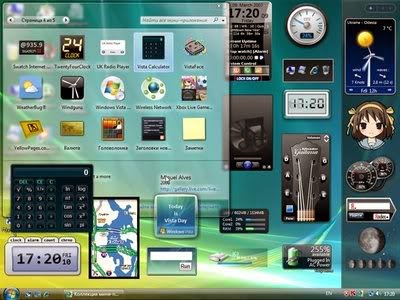
Sidebar gadgets

Thank god MS disabled this a while ago :)
We all miss you, you crappy resource gobble nightmares

Common ways - not in autoruns

Now, let's see other possibilities to start your malware, which won't be listed in Sysinternals Autoruns.

Backdoor an executable/DLL

Just change the code of an executable which is either auto-starting or commonly started by the user. To avoid lame mistakes, disable the update of the file ... The backdoor factory is a good source for this task. But if you backdoor an executable/DLL which is already in Autoruns listed, you will break the Digital Signature on the file. It is recommended to sign your executable, and if you can't afford to steal a trusted certificate, you can still import your own CA into the user's trusted certificate store (with user privileges), and it will look like a trusted one. Protip: Use "Microsoft Windows" as the codesigner CA, and your executable will blend in.
See, rootkit.exe totally looks legit, and it is filtered out when someone filters for "Hide Windows entries".


Hijack DLL load order

Just place your DLL into a directory which is searched before the original DLL is found, and PROFIT! But again, to avoid lame detection, be sure to proxy the legitimate function calls to the original DLL. A good source on this topic from Mandiant and DLL hijack detector.


Here you can see how PlugX works in action, by dropping a legitimate Kaspersky executable, and hijacking the DLL calls with their DLL. 

Hijack a shortcut from the desktop/start menu

Never underestimate the power of lame tricks. Just create an executable which calls the original executable, and meanwhile starts your backdoor. Replace the link, PROFIT! And don't be a skiddie, check the icon ;) I have seen this trick in adware hijacking browsers a lot of times.

IE hijacked to start with http://tinyurl.com/2fcpre6

File association hijack

Choose the user's favorite file type, replace the program which handles the opening with a similar one described in the previous section, and voila!

COM object hijack

The main idea is that some COM objects are scanned for whether they are on the system or not, and when it is registered, it is automatically loaded. See COMpfun for details.

Windows Application Compatibility - SHIM

Not many people are familiar with Windows Application Compatibility and how it works. Think about it as an added layer between applications and the OS. If the application matches a certain condition (e.g. filename), certain actions will take place. E.g. emulation of directories, registry entries, DLL injection, etc. In my installation, there are 367 different compatibility fixes (type of compatibility "simulation"), and some of those can be customized.
Every time IE starts, inject a DLL into IE

Bootkits 

Although bootkits shown here can end up in Autoruns in the drivers section (as they might need a driver at the end of the day), I still think it deserves a different section.

MBR - Master boot record

Malware can overwrite the Master boot record, start the boot process with its own code, and continue the boot process with the original one. It is common for rootkits to fake the content of the MBR record, and show the original contents. Which means one just have attached the infected HDD to a clean system, and compare the first 512 bytes (or more in some cases) with a known, clean state, or compare it to the contents shown from the infected OS. SecureBoot can be used to prevent malware infections like this.
There is a slight difference when MBR is viewed from infected OS vs clean OS

VBR - Volume boot record

This is the next logical step where malware can start it's process, and some malware/rootkit prefers to hide it's startup code here. Check GrayFish for details. SecureBoot can be used to prevent malware infections like this.

BIOS/UEFI malware

Both the old BIOS and the new UEFI can be modified in a way that malware starts even before the OS had a chance to run. Although UEFI was meant to be more secure than BIOS, implementation and design errors happens. Check the Computrace anti-theft rootkit for details.

Hypervisor - Ring -1 rootkit

This is somewhat special, because I believe although rootkit can run in this layer but it can't persist only in this layer on an average, physical machine, because it won't survive a reboot See Rutkowska's presentation from 2006 But because the hypervisor can intercept the restart event, it can write itself into one of the other layers (e.g. install a common kernel driver), and simply delete it after it is fully functional after reboot. Update: There is a good paper from Igor Korkin about hypervisor detection here.

SMM (System Management Mode) malware - Ring -2 rootkit

Somehow related to the previous type of attacks, but not many people know that System Management Mode can be used to inject code into the OS. Check the DEITYBOUNCE malware for more details ;) Also, abusing Intel Dual Monitor Mode (DMM) can lead to untrusted code execution, which basically monitors the SMM mode.

Intel® Active Management Technology - Ring -3 rootkit

According to Wikipedia, "Intel Active Management Technology (AMT) is hardware and firmware technology for remote out-of-band management of personal computers, in order to monitor, maintain, update, upgrade, and repair them". You can ask, what could possibly go wrong? See Alexander Tereshkin's and Rafal Wojtczuk's great research on this, or Vassilios Ververis thesis about AMT. 
As not many people click on links, let me quote the scary stuff about AMT:
  • Independent of the main CPU
  • Can access host memory via DMA (with restrictions)
  • Dedicated link to NIC, and its filtering capabilities
  • Can force host OS to reboot at any time (and boot the system from the emulated CDROM)
  • Active even in S3 sleep!

Other stuff

Create new user, update existing user, hidden admins

Sometimes one does not even have to add malicious code to the system, as valid user credentials are more than enough. Either existing users can be used for this purpose, or new ones can be created. E.g. a good trick is to use the Support account with a 500 RID - see here, Metasploit tool here.

Esoteric firmware malware

Almost any component in the computer runs with firmware, and by replacing the firmware with a malicious one, it is possible to start the malware. E.g. HDD firmware (see GrayFish again), graphic card, etc.

Hidden boot device

Malware can hide in one of the boot devices which are checked before the average OS is loaded, and after the malware is loaded, it can load the victim OS.

Network-level backdoor

Think about the following scenario: every time the OS boots, it loads additional data from the network. It can check for new software updates, configuration updates, etc. Whenever a vulnerable software/configuration update, the malware injects itself into the response, and get's executed. I know, this level of persistence is not foolproof, but still, possible. Think about the recently discovered GPO MiTM attack, the Evilgrade tool, or even the Xensploit tool when we are talking about VM migration.

Software vulnerability

Almost any kind of software vulnerability can be used as a persistent backdoor. Especially, if the vulnerability can be accessed remotely via the network, without any user interaction. Good old MS08-067...

Hardware malware, built into the chipset

I am not sure what to write here. Ask your local spy agency for further information. Good luck finding those!

More links

Tools I highly recommend:
For more information, check this blog post, part 1, part 2

Update 2017-04-29: A very nice list of Office persistence: https://labs.mwrinfosecurity.com/blog/add-in-opportunities-for-office-persistence/

Update 2017-10-23: Persistence via Security Descriptors and ACLs: https://www.youtube.com/watch?v=SeR4QJbaNRg

Update 2018-07-25: Backdooring LAPS https://rastamouse.me/2018/03/laps---part-1/
https://rastamouse.me/2018/03/laps---part-2/ 

I would like to thank to Gabor Pek from CrySyS Lab for reviewing and completing this post.

More info


CEH: System Hacking, Cracking A Password, Understanding The LAN Manager Hash, NetBIOS DoS Attacks

0 comments

Passwords are the key element of information require to access the system. Similarly, the first step is to access the system is that you should know how to crack the password of the target system. There is a fact that users selects passwords that are easy to guess. Once a password is guessed or cracked, it can be the launching point for escalating privileges, executing applications, hiding files, and covering tracks. If guessing a password fails, then passwords may be cracked manually or with automated tools such as a dictionary or brute-force method.

Cracking a Password

Passwords are stored in the Security Accounts Manager (SAM) file on a Windows system and in a password shadow file on a Linux system.

Manual password cracking involves attempting to log on with different passwords. The hacker follows these steps:
  1. Find a valid user account (such as Administrator or Guest).
  2. Create a list of possible passwords.
  3. Rank the passwords from high to low probability.
  4. Key in each password.
  5. Try again until a successful password is found.
A hacker can also create a script file that tries each password in a list. This is still considered manual cracking, but it's time consuming and not usually effective.

A more efficient way of cracking a password is to gain access to the password file on a system. Most systems hash (one-way encrypt) a password for storage on a system. During the logon process, the password entered by the user is hashed using the same algorithm and then compared to the hashed passwords stored in the file. A hacker can attempt to gain access to the hashing algorithm stored on the server instead of trying to guess or otherwise identify the password. If the hacker is successful, they can decrypt the passwords stored on the server.

Understanding the LAN Manager Hash

Windows 2000 uses NT LAN Manager (NTLM) hashing to secure passwords in transit on the network. Depending on the password, NTLM hashing can be weak and easy to break. For example, let's say that the password is 123456abcdef . When this password is encrypted with the NTLM algorithm, it's first converted to all uppercase: 123456ABCDEF . The password is padded with null (blank) characters to make it 14 characters long: 123456ABCDEF__ . Before the password is encrypted, the 14-character string is split in half: 123456A and
BCDEF__ . Each string is individually encrypted, and the results are concatenated:

123456A = 6BF11E04AFAB197F
BCDEF__ = F1E9FFDCC75575B15

The hash is 6BF11E04AFAB197FF1E9FFDCC75575B15 .

Cracking Windows 2000 Passwords

The SAM file in Windows contains the usernames and hashed passwords. It's located in the Windows\system32\config directory. The file is locked when the operating system is running so that a hacker can't attempt to copy the file while the machine is booted to Windows.

One option for copying the SAM file is to boot to an alternate operating system such as DOS or Linux with a boot CD. Alternately, the file can be copied from the repair directory. If a system administrator uses the RDISK feature of Windows to back up the system, then a compressed copy of the SAM file called SAM._ is created in C:\windows\repair . To expand this file, use the following command at the command prompt:

C:\>expand sam._ sam

After the file is uncompressed, a dictionary, hybrid, or brute-force attack can be run against the SAM file using a tool like L0phtCrack. A similar tool to L0phtcrack is Ophcrack.

Download and install ophcrack from http://ophcrack.sourceforge.net/

Redirecting the SMB Logon to the Attacker

Another way to discover passwords on a network is to redirect the Server Message Block (SMB) logon to an attacker's computer so that the passwords are sent to the hacker. In order to do this, the hacker must sniff the NTLM responses from the authentication server and trick the victim into attempting Windows authentication with the attacker's computer.

A common technique is to send the victim an email message with an embedded link to a fraudulent SMB server. When the link is clicked, the user unwittingly sends their credentials over the network.

SMBRelay

An SMB server that captures usernames and password hashes from incoming
SMB traffic. SMBRelay can also perform man-in-the-middle (MITM) attacks.

SMBRelay2

Similar to SMBRelay but uses NetBIOS names instead of IP addresses to capture usernames and passwords.

pwdump2

A program that extracts the password hashes from a SAM file on a Windows system. The extracted password hashes can then be run through L0phtCrack to break the passwords.

Samdump

Another program that extracts NTLM hashed passwords from a SAM file.

C2MYAZZ

A spyware program that makes Windows clients send their passwords as clear text. It displays usernames and their passwords as users attach to server resources.

NetBIOS DoS Attacks

A NetBIOS denial-of-service (DoS) attack sends a NetBIOS Name Release message to the NetBIOS Name Service on a target Windows systems and forces the system to place its name in conflict so that the name can no longer be used. This essentially blocks the client from participating in the NetBIOS network and creates a network DoS for that system.
  1. Start with a memorable phrase, such as "Maryhadalittlelamb"
  2. Change every other character to uppercase, resulting in "MaRyHaDaLiTtLeLaMb"
  3. Change a to @ and i to 1 to yield "M@RyH@D@L1TtLeL@Mb"
  4. Drop every other pair to result in a secure repeatable password or "M@H@L1LeMb"

Now you have a password that meets all the requirements, yet can be "remade" if necessary.
More information

Hash Identifier - The Hash Identify Tool

0 comments

Related links


  1. Hardware Hacking Tools
  2. Hacking Tor Whatsapp
  3. Como Hackear
  4. Cómo Se Escribe Hacker
  5. Escuela De Hacking
  6. Programas De Hacker
  7. Aprender Hacking Desde Cero
  8. Rom Hacking
  9. Web Hacking 101
  10. Live Hacking
  11. Nfc Hacking

Ransomware.OSX.KeRanger Samples

0 comments

Research: New OS X Ransomware KeRanger Infected Transmission BitTorrent Client Installer by Claud Xiao

Sample credit: Claud Xiao


File information

d1ac55a4e610380f0ab239fcc1c5f5a42722e8ee1554cba8074bbae4a5f6dbe1 
1d6297e2427f1d00a5b355d6d50809cb 
Transmission-2.90.dmg

e3ad733cea9eba29e86610050c1a15592e6c77820927b9edeb77310975393574 
56b1d956112b0b7bd3e44f20cf1f2c19 
Transmission

31b6adb633cff2a0f34cefd2a218097f3a9a8176c9363cc70fe41fe02af810b9
14a4df1df622562b3bf5bc9a94e6a783 
General.rtf

d7d765b1ddd235a57a2d13bd065f293a7469594c7e13ea7700e55501206a09b5 
24a8f01cfdc4228b4fc9bb87fedf6eb7 
Transmission2.90.dmg

ddc3dbee2a8ea9d8ed93f0843400653a89350612f2914868485476a847c6484a
3151d9a085d14508fa9f10d48afc7016 
Transmission

6061a554f5997a43c91f49f8aaf40c80a3f547fc6187bee57cd5573641fcf153 
861c3da2bbce6c09eda2709c8994f34c 
General.rtf


Download
Related word

Country

free counters
 

ဦးဘုန္း (ဓာတု) မႏၱေလး. Copyright 2011 All Rights Reserved Free Wordpress Templates by Brian Gardner Blogger Templates presents HD TV Fringe Streaming. Featured on Wedding Photographers Singapore.